Record Every Drive
Start a drive, lock your phone, and hit the road. Ryvve captures your GPS route, stats, and story so you can relive every mile — with CarPlay and Live Activities along for the ride.
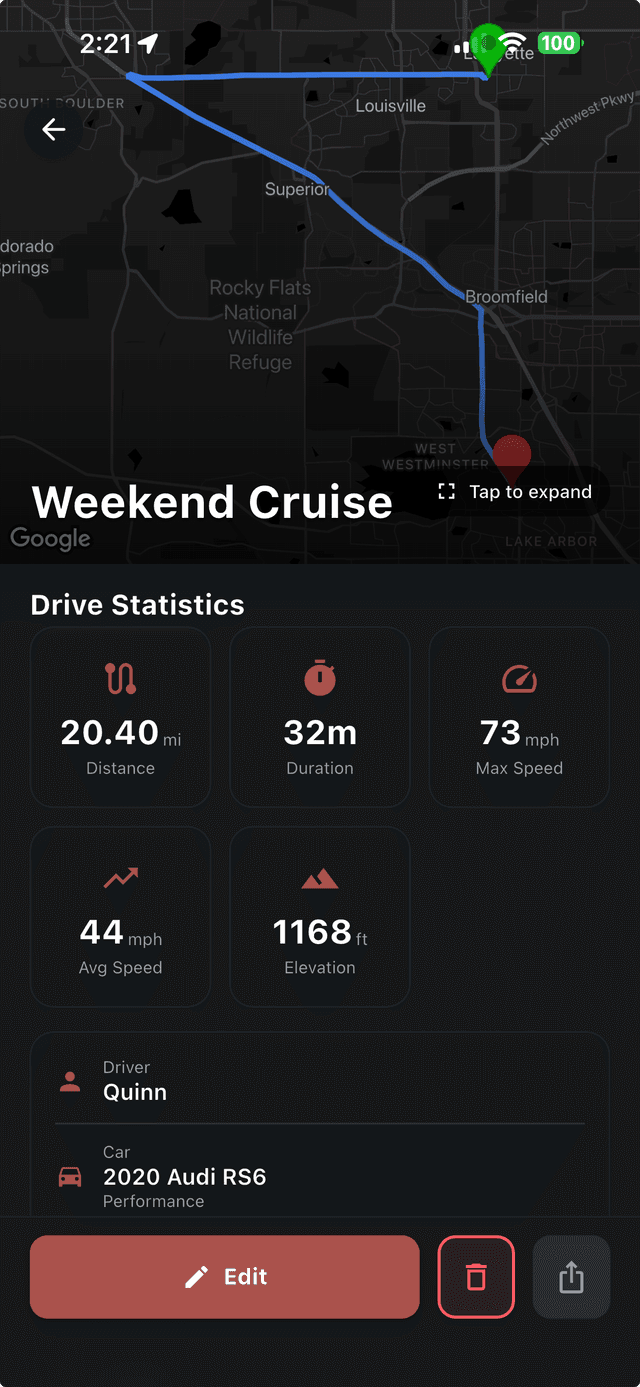
Ryvve's drive tracker records your GPS route in the background so you can focus on the road. When you're done, your drive appears on a 3D map with distance, duration, and speed stats — complete with CarPlay support and Live Activities on your iPhone lock screen.
Everything You Need to Capture Every Drive
Background GPS, 3D route playback, CarPlay, Live Activities, and more — drive tracking built for enthusiasts.
Background GPS Recording
Tap Start Drive, lock your phone, and go. Ryvve records your route in the background — no babysitting the app, no lost drives.
3D Route Playback
See your drive on a beautiful 3D map with turn-by-turn path and every switchback you took. Your route, visualized.
CarPlay Integration
Start, monitor, and stop drives right from your car's display. Your live stats show on-screen while you focus on the road.
Live Activities
Your current drive lives on your lock screen and in the Dynamic Island. Distance, duration, and speed — updated in real time.
Distance, Duration & Speed
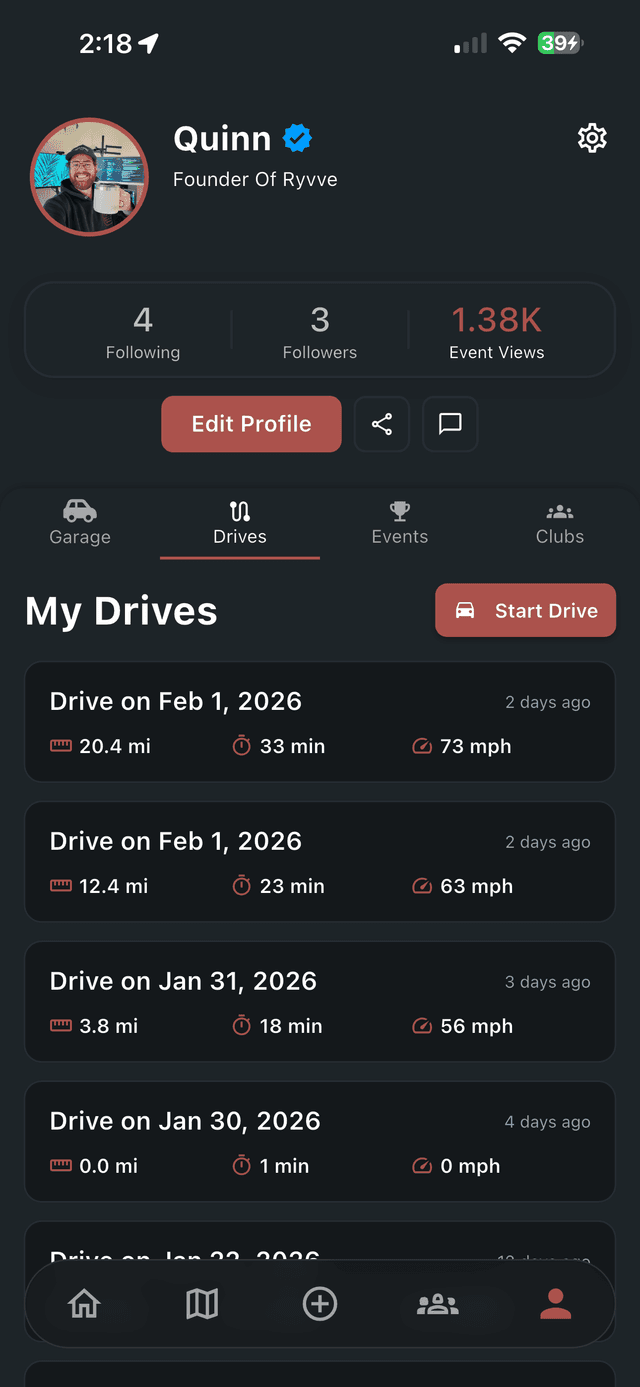
Auto-generated stats for every drive: total distance, drive time, average speed, and top speed — saved to your profile forever.
Private & Encrypted
Drive data is encrypted with privacy-first defaults. You control who sees each drive — keep them public, club-only, or entirely yours.
Drive Analytics (Premium)
A GitHub-style heatmap of every day you drove, year picker, personal records, and month-over-month performance comparisons.
Drive Achievements
Earn badges for distance, drives logged, elevation climbed, streaks, your longest drive, and time behind the wheel — tiered goals with progress toward the next one. Free for everyone.
Every Drive Captured
From commutes to canyon runs, Ryvve turns every trip into part of your driving story.
Daily Commutes
Route stats, even for the day-to-day
Spirited Runs
Speed curves and elevation profiles
Track Days
Lap after lap on the same map
Weekend Drives
Your favorite back-road loops
Road Trips
Multi-day drives in your history
Group Cruises
Sync the route with your crew
Canyon Runs
Capture every switchback
Coffee Runs
Even a quick loop becomes a memory
Plan Your Next Group Drive
The Cruise Route Builder lets you plan group drives on an interactive map with waypoints, route analytics, and RSVPs. Associate a cruise with your club so your crew knows exactly who's riding together.
- Search-first interactive route builder
- Multi-waypoint planning with route stats
- RSVP and member management
- Link cruises to a club so the whole crew sees them
Sunday Canyon Run
Malibu, CA · 12 going
More Than Just a Map
Every drive has a story. Ryvve turns GPS data into a visual history — a 3D route, speed curves, and stats that let you relive your best moments, compare runs on the same road, and share your favorite drives with your crew.
- Relive every drive with 3D map playback
- Share drives with your friends and club
- Compare stats across runs on the same road
- Keep a permanent log of your driving journey
Frequently Asked Questions
Common questions about drive tracking, CarPlay, and Live Activities.
Tap Start Drive and hit the road — Ryvve records your GPS route in the background so you can lock your phone and focus on driving. When you're done, the drive is saved to your profile with a 3D map, distance, duration, and speed stats, all auto-generated.
Explore More Features
Drive tracking pairs well with everything else Ryvve has to offer.
Free Drive-Planning Tools
Budget the fuel and know your real MPG before you head out — then let Ryvve record the drive itself.
Start Tracking Your Drives
Download Ryvve for free and turn every drive into a memory worth keeping.
Download Now